 LineSwitcher
Dual SIM, guided by place
Your data line follows your coverage map.
Draw circles around places where you prefer your secondary cellular plan. LineSwitcher watches for crossings and asks your Apple Shortcut to change the active data line.
For iPhone with two cellular plans · iOS 27 or later · Apple Shortcuts setup required
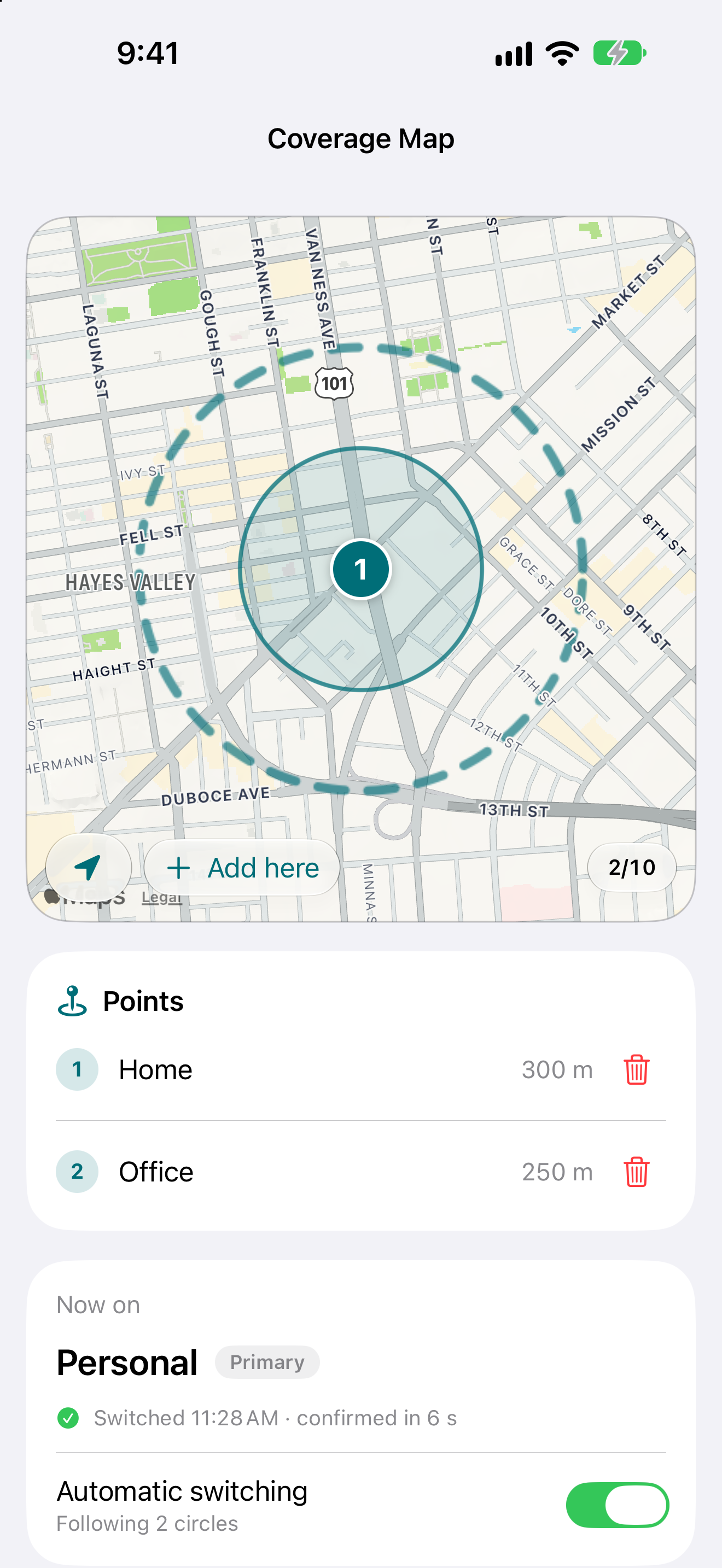
Illustrative plan names and places, captured in the iPhone simulator.
The short version
Choose where each line belongs.
LineSwitcher handles the map, region monitoring, and request history. A Shortcut you add during setup performs the cellular action and reports back.
- 01 / Map
Save your circles
Place and resize up to ten coverage areas. Inside a circle, LineSwitcher asks for your secondary line. Outside all circles, it asks for your primary line.
- 02 / Connect
Set up Shortcuts
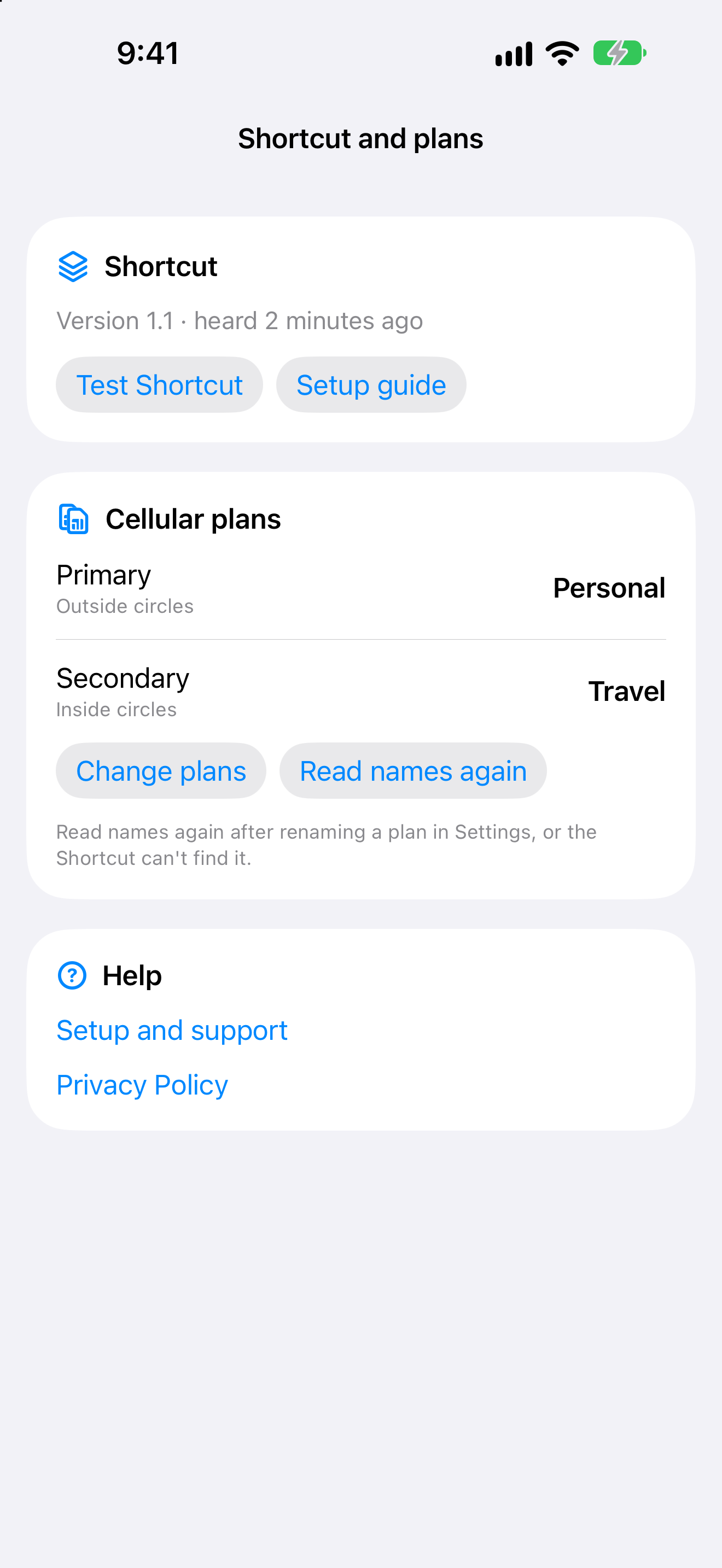
Import the LineSwitcher Shortcut, turn on its notification automation, test it, then assign the names of your two installed cellular plans.
- 03 / Check
See each request
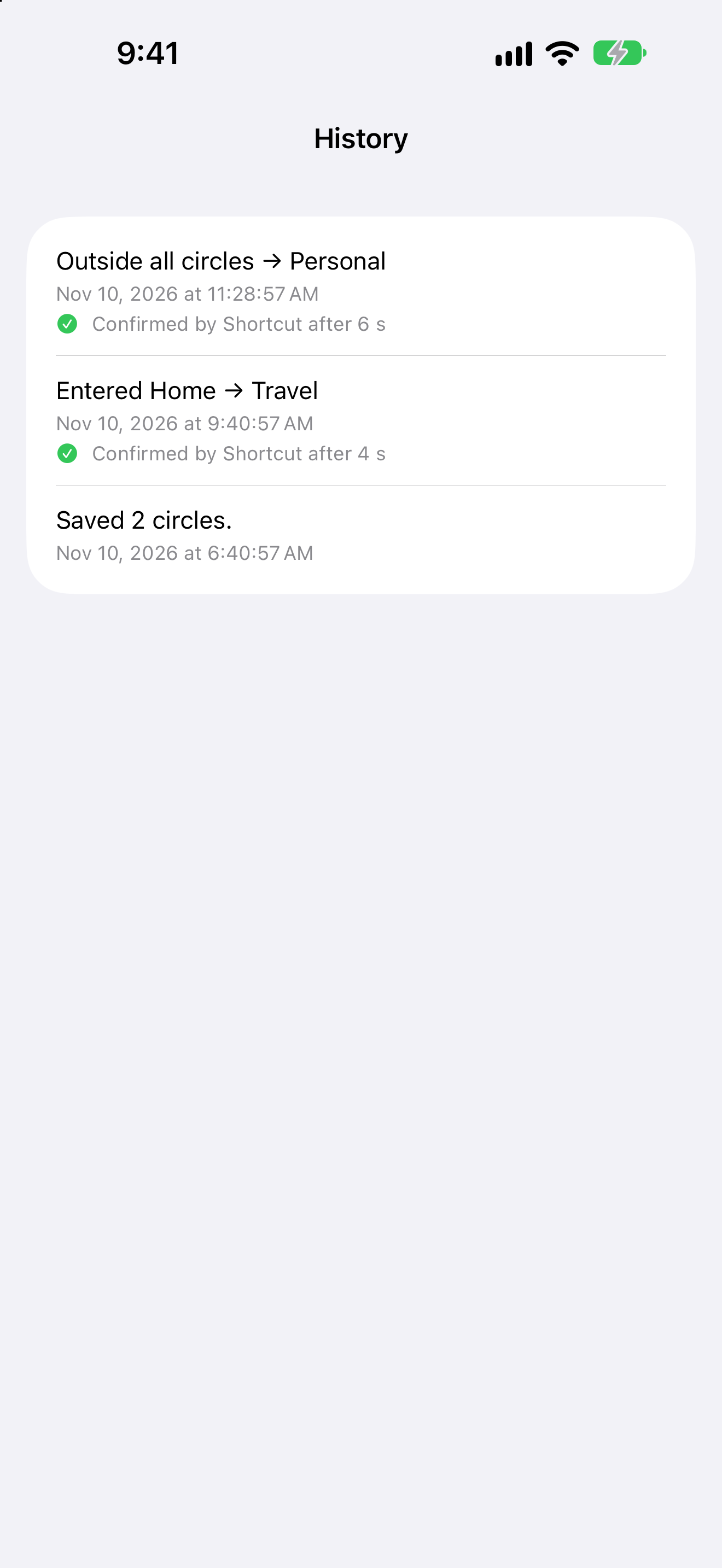
History shows why a switch was requested and whether the Shortcut confirmed it. You can pause automatic switching, hold the secondary line temporarily, or send a missed request again.
A quick look
See LineSwitcher in 12 seconds.
A short tour of the coverage map, Shortcut setup, and request history. It uses illustrative names and events captured in the iPhone simulator.
Cellular switching itself requires a dual SIM iPhone and the shared Shortcut.
Keep control
Know what happened after a crossing.
The current line card and History make each request visible. If the Shortcut misses a notification, LineSwitcher shows that it was not confirmed and gives you a way to retry.
Before you begin
Built for a specific iPhone setup.
- An iPhone with iOS 27 or later and two active cellular plans.
- Apple Shortcuts with the shared LineSwitcher Shortcut and its notification automation enabled.
- Notification permission and Always location permission for background region monitoring.
About the secondary line
Outside your circles, the Shortcut turns the secondary plan off. Calls and texts to that number will not arrive until the plan is turned on again.
Available on the App Store
Make your two lines easier to manage.
Get LineSwitcher for your dual SIM iPhone. The app includes a setup guide and manual controls for when you want to change lines yourself.
Get LineSwitcher on the App Store